Start by pulling up the official HNL Terminal 1 PDF or app, then grab a paper foldout near the entrances, it’s still the fastest backup when Wi‑Fi lags. You’ll orient yourself by the Ewa and Diamond Head corridor labels and the central garden court, then scan overhead boards to find your airline’s landside check-in and bag drop before lines swell around 6 to 9 a.m. Next, you’ll pick the right TSA checkpoint, stash liquids and electronics smartly, and you’ll still want to know one shortcut most first-timers miss.
Key Takeaways
- Start with the official airline/airport Terminal 1 PDF map, screenshot it, and download offline data to avoid outdated third-party maps.
- Orient yourself using “Ewa” and “Diamond Head” corridor labels, plus the central garden court and food hall as reset landmarks.
- Find your airline check-in by scanning overhead boards for carrier and counter row, then use kiosks for boarding passes and bag tags.
- Use the map to choose the correct TSA checkpoint for your concourse, then budget 10–15 minutes from security to your gate.
- For arrival, follow mauka signs to lower-level baggage claim, confirm carousel screens, and walk 5–10 minutes to rideshare pickup.

Oahu: Roundtrip Shuttle From Waikiki to Dole Plantation & Haleiwa
Skip Circle Island and visit two of the most popular places to visit here on the Island of Oahu. Experience a unique fusion of convenience, affordabil...

Oahu: Atlantis Submarine Adventure in Waikiki
Explore Waikiki’s marine mysteries while diving more than 100 feet underwater in an air-conditioned, eco-friendly...

Honolulu: Three Star Deluxe Sunset Dinner Cruise and Show
As the sun sets over the Pacific, enjoy a luxurious Honolulu dinner cruise along the scenic coastline near Diamond H...

Wai Kai Adventure Park Packages
Three ways to play! Full day and half day packages available.ULTIMATE PACKAGE: • Surf Session • AquaVenture...
Choose the Right Honolulu Airport Terminal 1 Map
Wondering which Honolulu Airport Terminal 1 map will actually help you get from curb to gate without that slow, sweaty lap through the concourse? Start with the airline issued PDF before you leave. Screenshot it, since Wi‑Fi can lag during departures, and you won’t want to hunt for a signal in a crowd. Since Oahu’s main gateway is officially known as Daniel K. Inouye International Airport, confirm that any map you use clearly labels Terminal 1 within this larger airport layout so you don’t follow directions for the wrong terminal. If you like paper maps, grab the foldout at the information desk, then mark your checkpoint and restroom stop with a pen. If you prefer mobile apps, use the official airport app or Google Maps, but download offline so directions load fast. Skip random blog maps, they’re often outdated after construction.
For connections under 45 minutes, book a Viator transfer with verified reviews, pickup, free cancellation, and reserve now pay later.
Orient Yourself Using Terminal 1 Landmarks and Signs
Because Terminal 1 can feel like a bright, busy maze at peak departure times, you’ll move faster if you anchor yourself to a few obvious landmarks before you start following gate numbers. Step to the nearest directory board, then spot the big “Ewa” and “Diamond Head” corridor labels, your north star when crowds thicken. Look for landmark signage near the central garden court and the food hall, where you can pause, refill your bottle, and reset your bearings in two minutes. Follow Wayfinding icons for restrooms, elevators, and inter-terminal shuttles, not just gate letters. For a live view of security lines in Terminal 1, keep an eye on the new checkpoint wait time displays as you walk. Keep your phone brightness up, and stash a pen for jotting gate changes. Skip wandering into long retail lines until you’ve confirmed your direction. During rush hour, hug the walls.
Find Your Airline Check-In and Bag Drop Fast
Once you’ve got the Ewa and Diamond Head corridors straight in your head, head landside and lock in your airline check in before the lines start snaking. Scan the overhead boards for your carrier, then follow the colored stanchions to the right counter row. If you’re flying early, arrive 90 minutes ahead; midmorning gets busy with island hoppers. Try airline kiosks first for boarding passes and bag tags, then drop bags at the staffed belt. Keep your ID and one credit card in hand, and skip repacking in the middle of the floor. Bag fees vary, but expect $30 plus. If you want to fuel up before security, watch for signs pointing toward the Honolulu Airport food court so you can grab a quick meal without wandering. If you’ve got heavy surf gear, ask about oversize drop and curbside pickup timing outside. Staff will weigh tagged bags fast, saving you minutes.
Use the Terminal 1 Map to Choose TSA and Reach Your Gate
Pull up the Terminal 1 map on your phone and use it like a shortcut, not a souvenir, so you can pick the right TSA checkpoint and land at your gate with time to spare. Tap the security icons, then match them to your concourse letter and walking time. Check live TSA wait times before you join the longest-looking line. If you’ve got PreCheck, head for the marked security lanes and keep your laptop in. Without it, pull liquids and chargers into one pouch so you don’t fumble at the bins. After screening, follow the map’s gate numbers, not the crowd’s instincts. Budget 10 to 15 minutes for the stroll, longer at peak mornings. Skip last-minute souvenirs if boarding starts soon at your terminal. If you’re connecting to ground transportation, the map can also help you locate signs for Honolulu airport shuttle options so you can move quickly from your gate to your ride.

Oahu's North Shore: 8-Line Zipline Adventure
Experience the ultimate Oahu zipline adventure on this 3-hour guided tour across the island’s famous North Shore...

Polynesian Cultural Center: Gateway Buffet Package
Located on O‘ahu’s North Shore, the Polynesian Cultural Center is a one-of-a-kind attraction showcasing the peop...

Parasailing Experience in Waikiki, HI
Experience the thrill of Oahu parasailing on this unforgettable 1-hour adventure from Waikiki. Soar up to 1,000 feet...
Get to Baggage Claim, Rideshare, and Essentials in Terminal 1
Step off the plane, open the Terminal 1 map, and aim straight for baggage claim and ground transport before the crowds thicken. For the smoothest ride into town, compare options like transportation from HNL to Waikiki so you know whether you’ll take a shuttle, taxi, or rideshare once you reach the curb.
Follow the mauka signs to the lower level, then match your carousel number on the screens.
If you’re checking in again soon, use the Baggage kiosks beside the belts for quick recheck and a printed tag.
Grab cash at the ATM, refill your bottle, and skip the gift shop unless you need reef-safe sunscreen.
Outside, rideshare pickup is usually a 5 to 10 minute walk, so keep your phone charged and your ID handy.
For hotel shuttles, confirm the Shuttle pickup locations on the curb map and watch for color-coded zones.
Local shuttles run about $15 to Waikiki, cash or card works.

Honolulu: Pacific Star Sunset Dinner Cruise and Show
Indulge in the original Pacific Rim cuisine, where each dish serves as a gateway to the rich flavors of the region...

Pearl Harbor USS Arizona Memorial Tour from Waikiki
Turn back time as we explore WWII history at Pearl Harbor and relive the infamous Sunday morning of December 7, 1941...

Oahu: Ka Moana Lūʻau at Aloha Tower – Oceanfront Luau Show
Ka Moana Lūʻau – Oceanfront Hawaiian Luau in HonoluluExperience the spirit of Hawaiʻi at Ka Moana Lūʻau, a...
Frequently Asked Questions
Does Terminal 1 Have Overnight Sleeping Areas or Lounges?
You won’t find dedicated overnight sleeping rooms in Terminal 1, and most overnight lounges close. You can rest in public seating zones near gates, but expect bright lights, noise, and limited amenities overnight there too.
Are There Pet Relief Areas Inside or Near Terminal 1?
You’ll find pet relief options near Terminal 1: look for designated outdoor pet relief zones just outside the terminal doors and curbside areas. Inside access is limited, but service animals can use nearby stations too.
Where Can I Store Luggage Temporarily at Honolulu Airport?
You can’t store bags in Luggage lockers at HNL, none exist. [Theory✓: lockers-on-site → false]. Instead, use off-airport storage services or ask your hotel for Baggage delivery, so you travel light between flights during long layovers.
Is There Free Wi‑Fi in Terminal 1, and How Do I Connect?
Yes, you’ve got free Wi‑Fi in Terminal 1 for free connectivity. Open your device’s Wi‑Fi settings, select the airport network, tap Connect, accept the terms, and you’re online, those are the connection steps within a minute.
What Are Terminal 1’s Dining and Shop Hours on Weekends?
On weekends, you’ll find restaurant hours and retail schedules vary by vendor, but most spots open around 5–6 a.m. and close 8–10 p.m. You should check each storefront sign or HNL listings before you go.
Conclusion
Funny how “getting lost” at HNL Terminal 1 is hardest when you don’t look at the map. Start with the PDF or app, then snag the paper foldout. Use Ewa, Diamond Head, and the garden court to stay oriented. Check in landside fast, kiosks save 10 minutes in morning crowds. Pick the right TSA, PreCheck helps, keep liquids together. Arriving, follow mauka to bags, then compare $25 to $45 rideshare, taxis, or shuttles.
Honolulu: Three Star Deluxe Sunset Dinner Cruise and Show
As the sun sets over the Pacific, enjoy a luxurious Honolulu dinner cruise along the scenic coastline near Diamond Head. Indulge in a gourmet steak an...
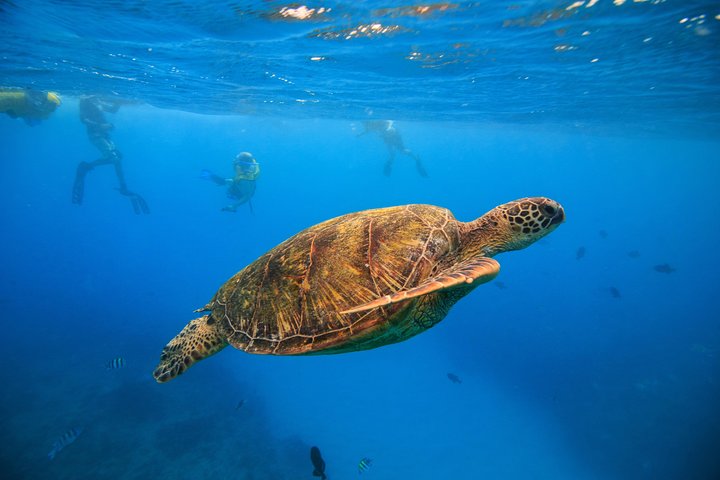
Waikiki, Hawaii: Turtle Canyon Snorkel Excursion
Discover the magic of snorkeling with Hawaiian Green Sea Turtles at Waikiki’s famous Turtle Canyon. On this 2-hour...

Oahu: Mauka Warriors Luau Honoring Polynesia's Forgotten History
Step into the vibrant heart of Hawai‘i and experience a luau like no other—where culture, history, and celebrati...

Paina Waikiki Luau at Waikiki Beach Marriott
Everything that makes renowned Waikiki, Oahu, a unique and exciting place is celebrated at Pāʻina Waikīkī!A u...